
ORDER WORKSPACE PRO FOR WOOCOMMERCE
Create your own order fields.
Update them without opening each order.
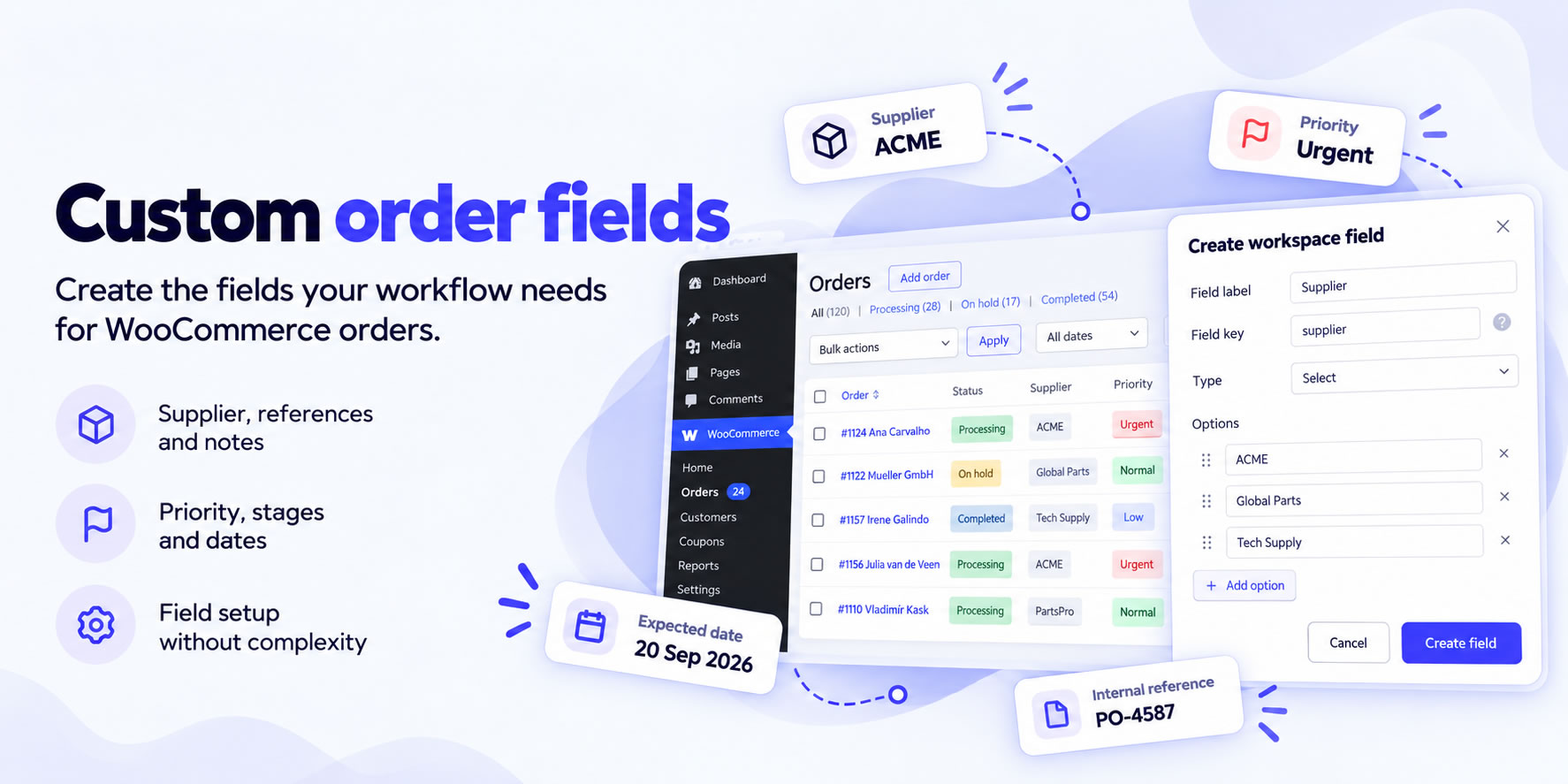
Add the internal fields your workflow needs: priorities, preparation stages, suppliers, expected dates, and more.
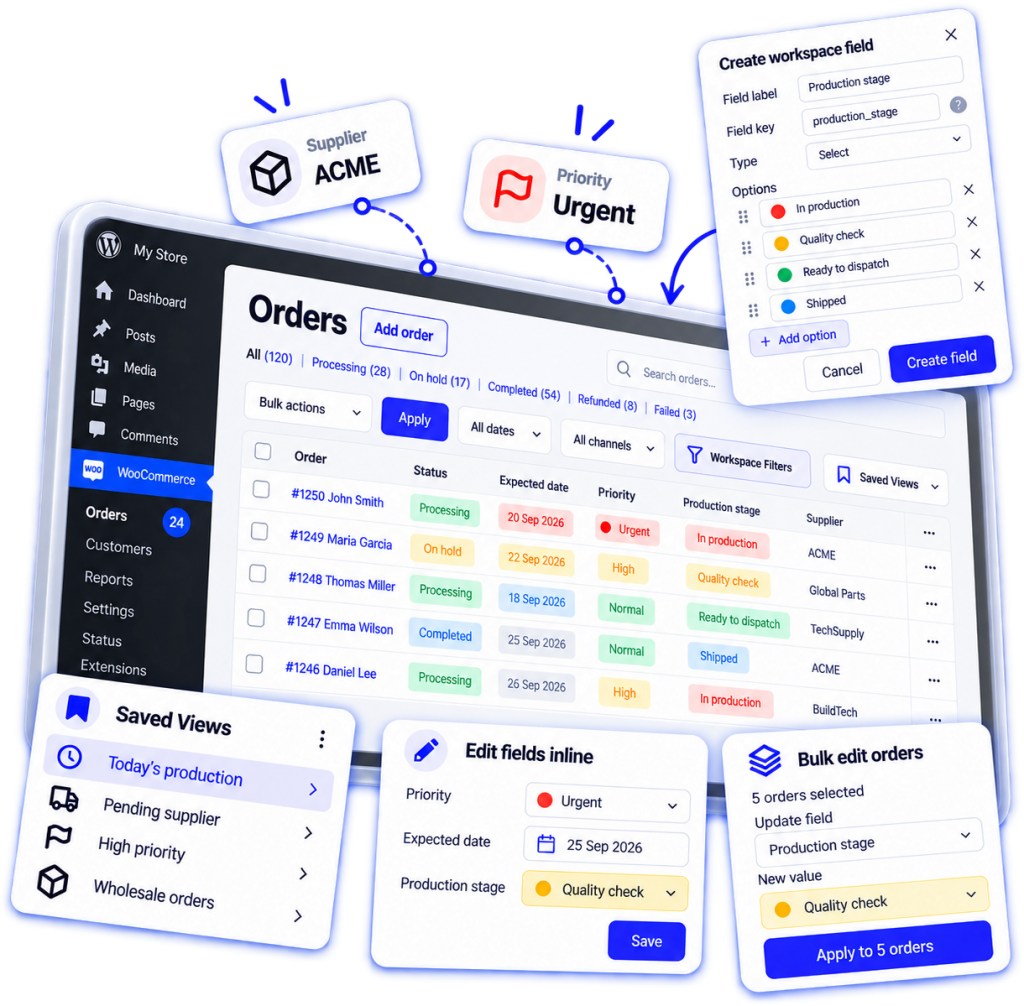
Edit supported Workspace fields inline or in bulk, combine filters, save views, color values and dates, and export CSV — directly from your WooCommerce Orders list.
30-day refund policy

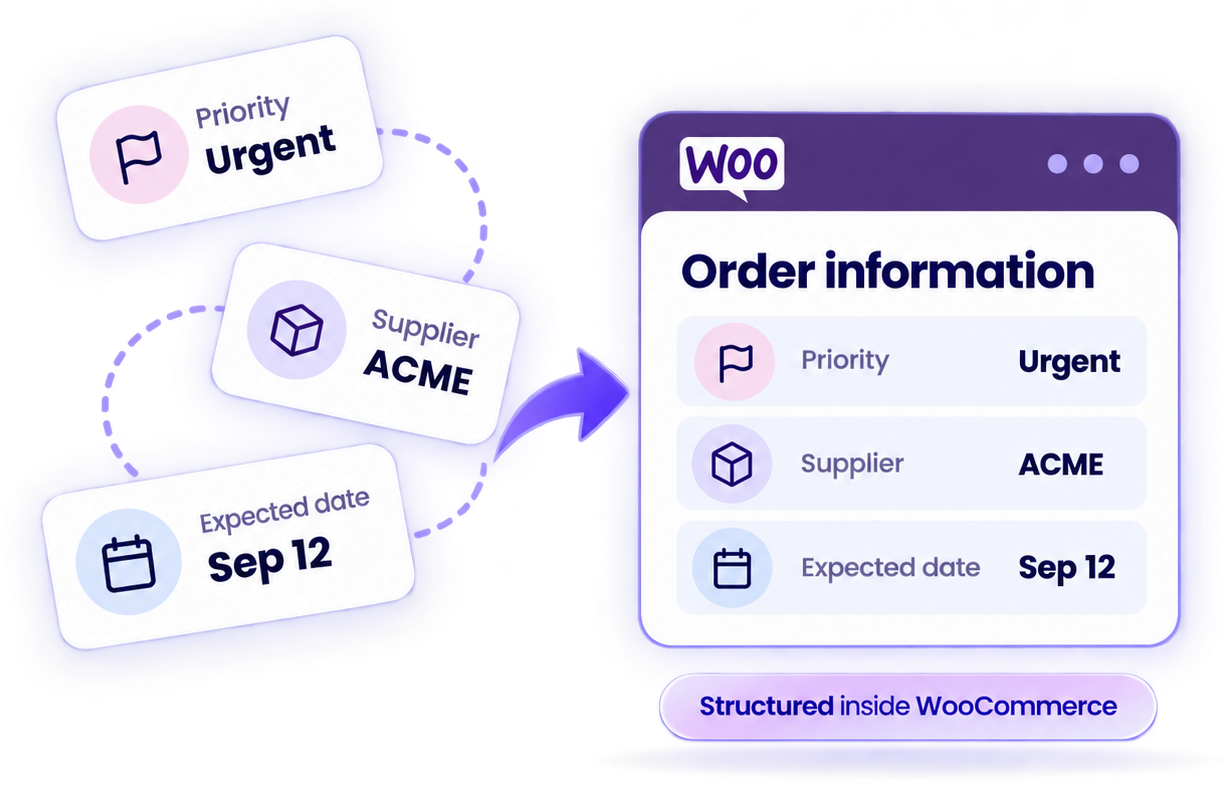
Structured order data
Create the internal fields your workflow needs for priorities, preparation stages, suppliers, expected dates, and more.

Work inside WooCommerce
Manage internal order details directly from the WooCommerce Orders list your team already uses every day.

Find the right orders faster
Show Workspace fields as columns and combine filters to quickly find the orders that need attention.

Update orders in fewer clicks
Edit supported fields inline or in bulk, reuse saved views, and speed up everyday order processing.
THE PROBLEM
Managing order details
shouldn't slow you down.
Important details are easy to miss
Priorities, preparation stages, suppliers and expected dates can get buried inside individual orders or scattered across notes.
Routine updates take too many clicks
Changing internal information across several orders shouldn’t require opening, editing and saving each order separately.
Finding orders that need attention takes time
Identifying high-priority orders or those with overdue and upcoming dates shouldn’t mean checking them one by one.
Repeating the same searches wastes time
Rebuilding the same filter combinations every day slows your team down, especially when several people need access to the same views.
HOW IT WORKS
Build the order
workflow your team needs
Your workflow, right inside WooCommerce
No separate order management system needed. Keep your internal order information organized and manage everyday updates from the familiar WooCommerce Orders list.
- Built into the WooCommerce admin
- Focused on your own Workspace fields
- HPOS compatible

Create your own fields
Add internal fields for priorities, preparation stages, suppliers, expected dates and any other operational details your team needs.

See what matters at a glance
Display your Workspace fields as order columns. Use configurable colors to highlight important values and dates.

Find the orders you need
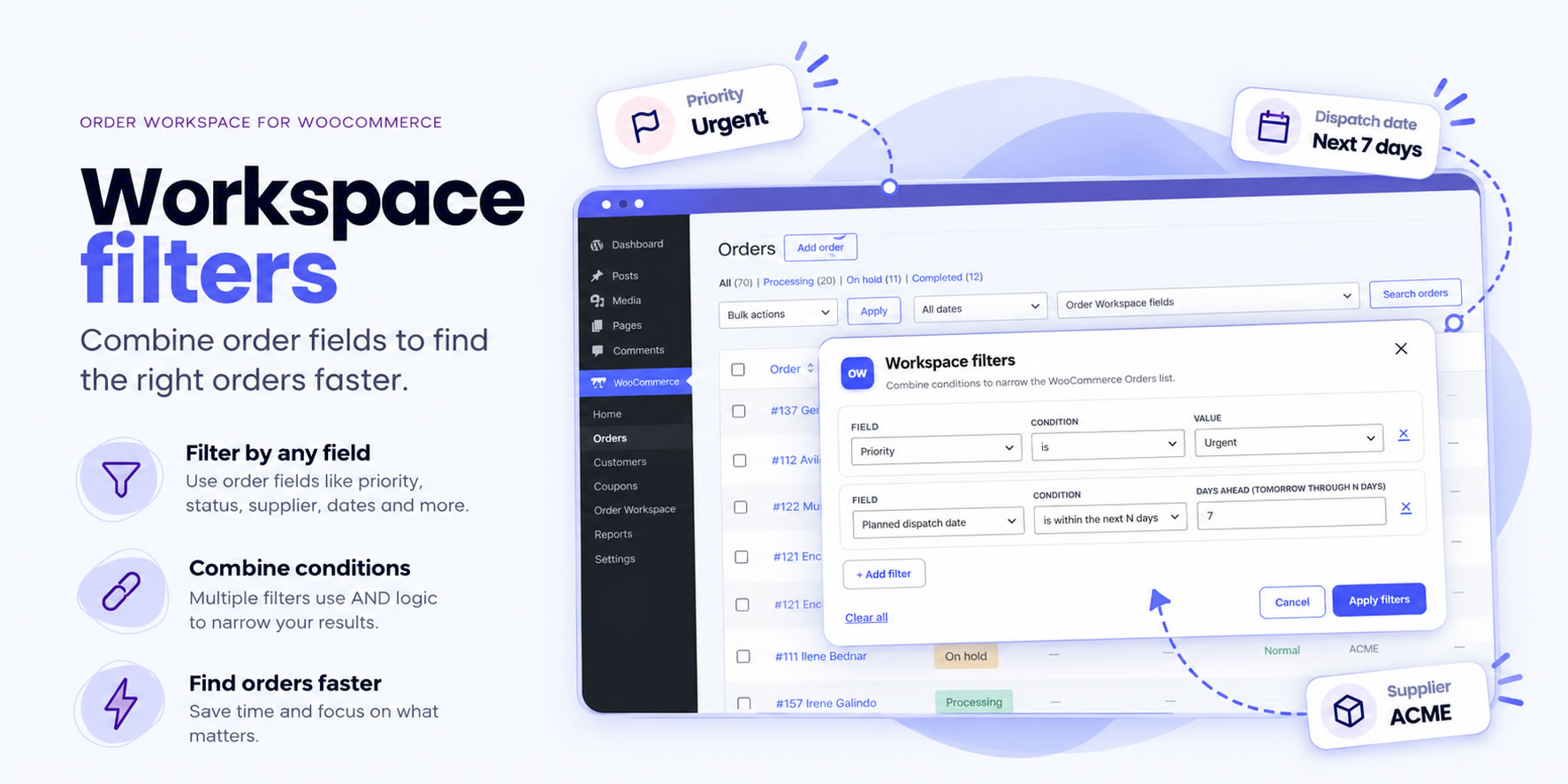
Combine filters, use relative date conditions and save personal or shared views to quickly return to the right orders.

Update orders faster
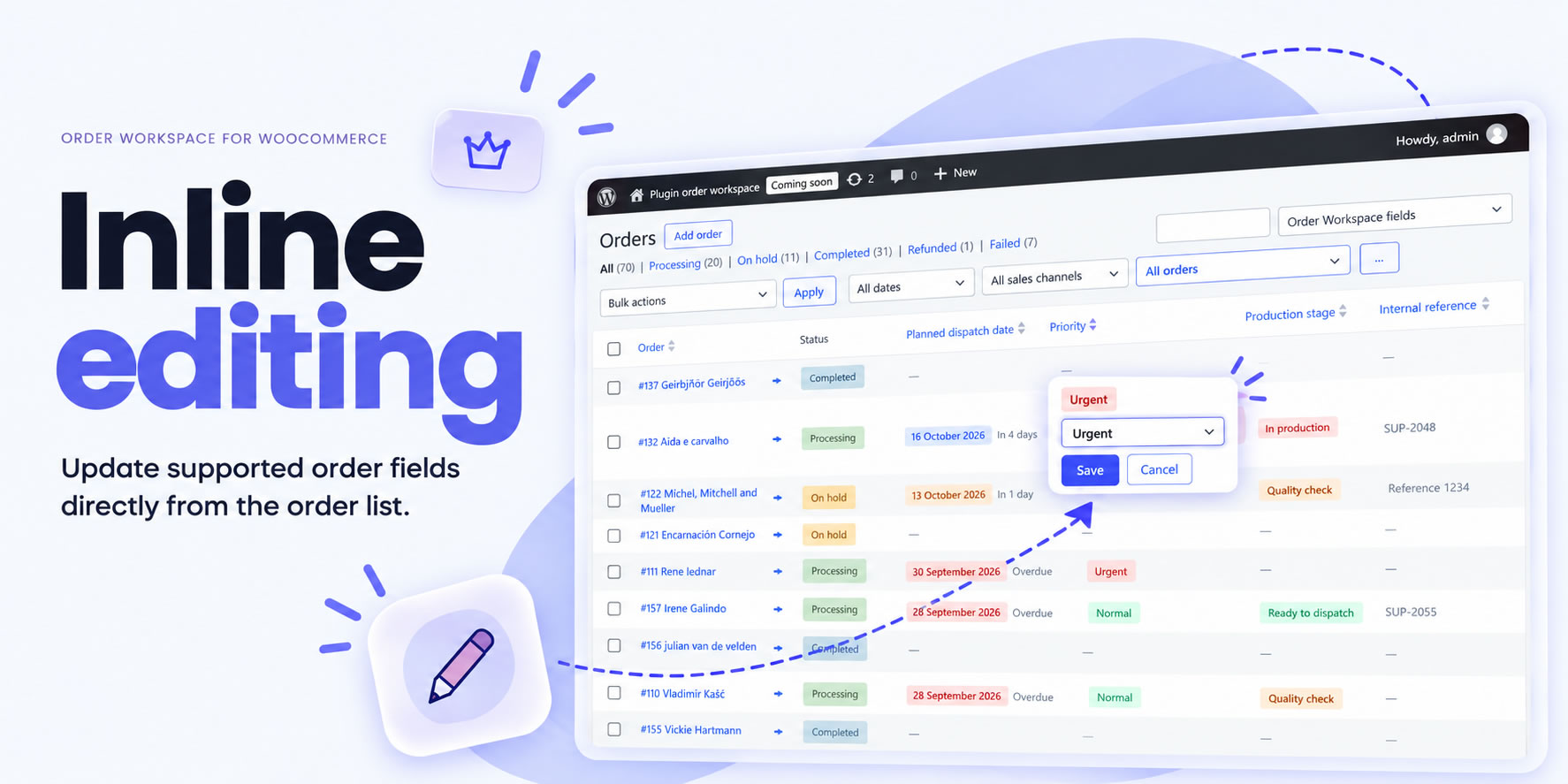
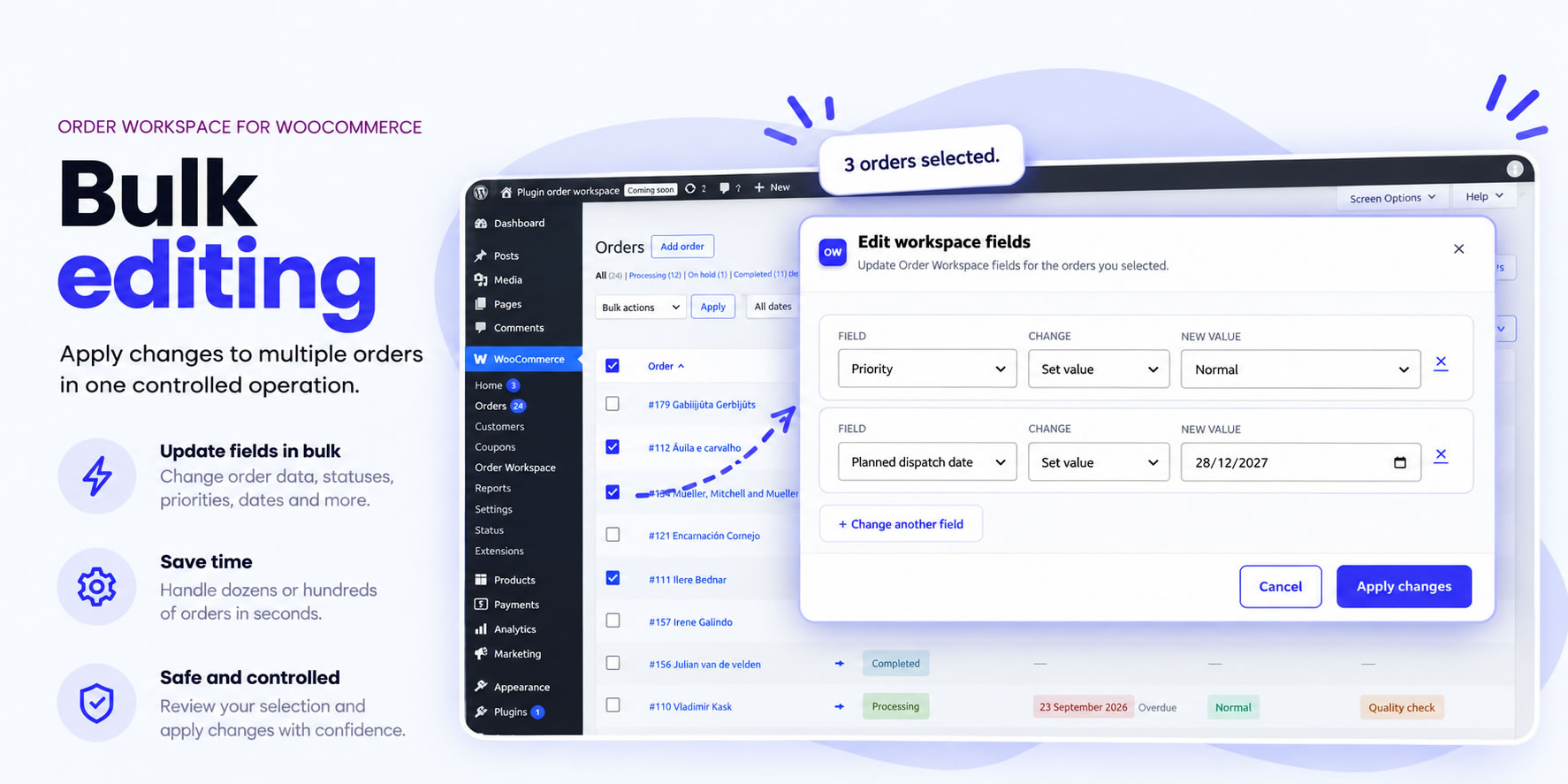
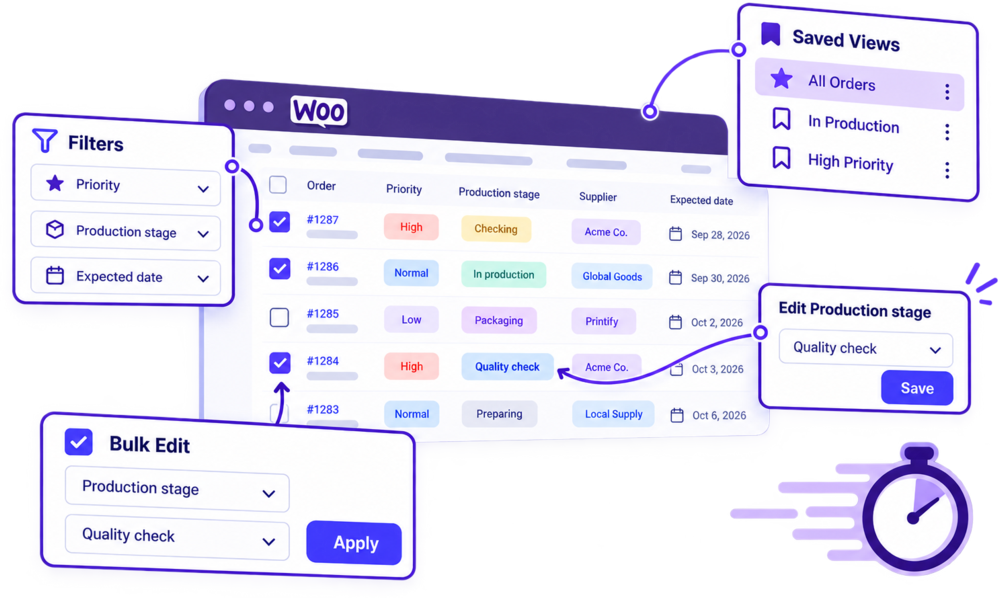
Edit supported Workspace fields directly in the Orders list or update multiple selected orders in bulk, without opening each order separately.
PRO WORKFLOWS
Process WooCommerce
orders faster
Less clicking. Faster order processing.
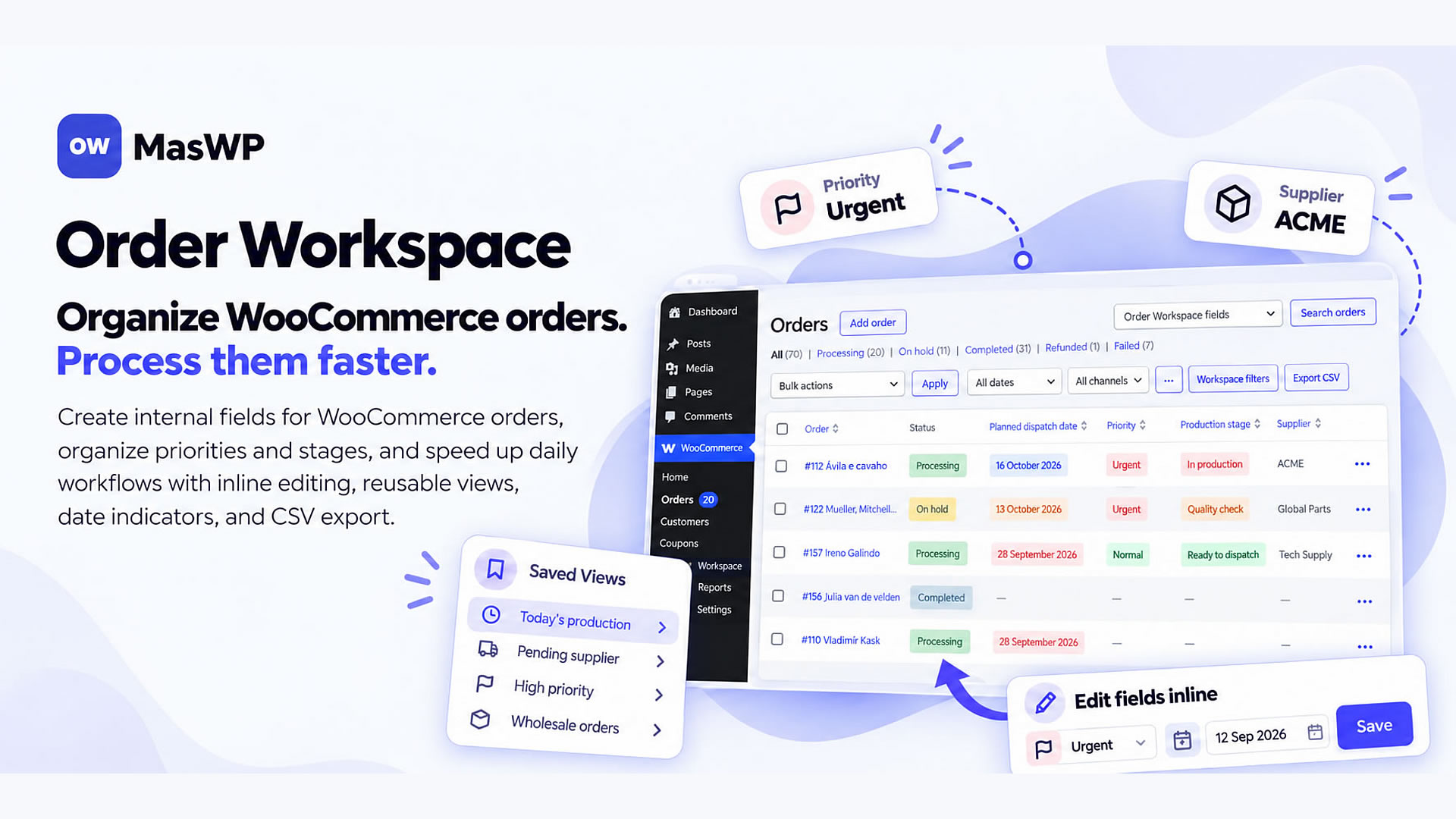
Manage your internal order fields directly from the WooCommerce Orders list. Edit values inline or in bulk, combine filters, reuse saved views, highlight important dates and export to CSV.

Custom Order Fields
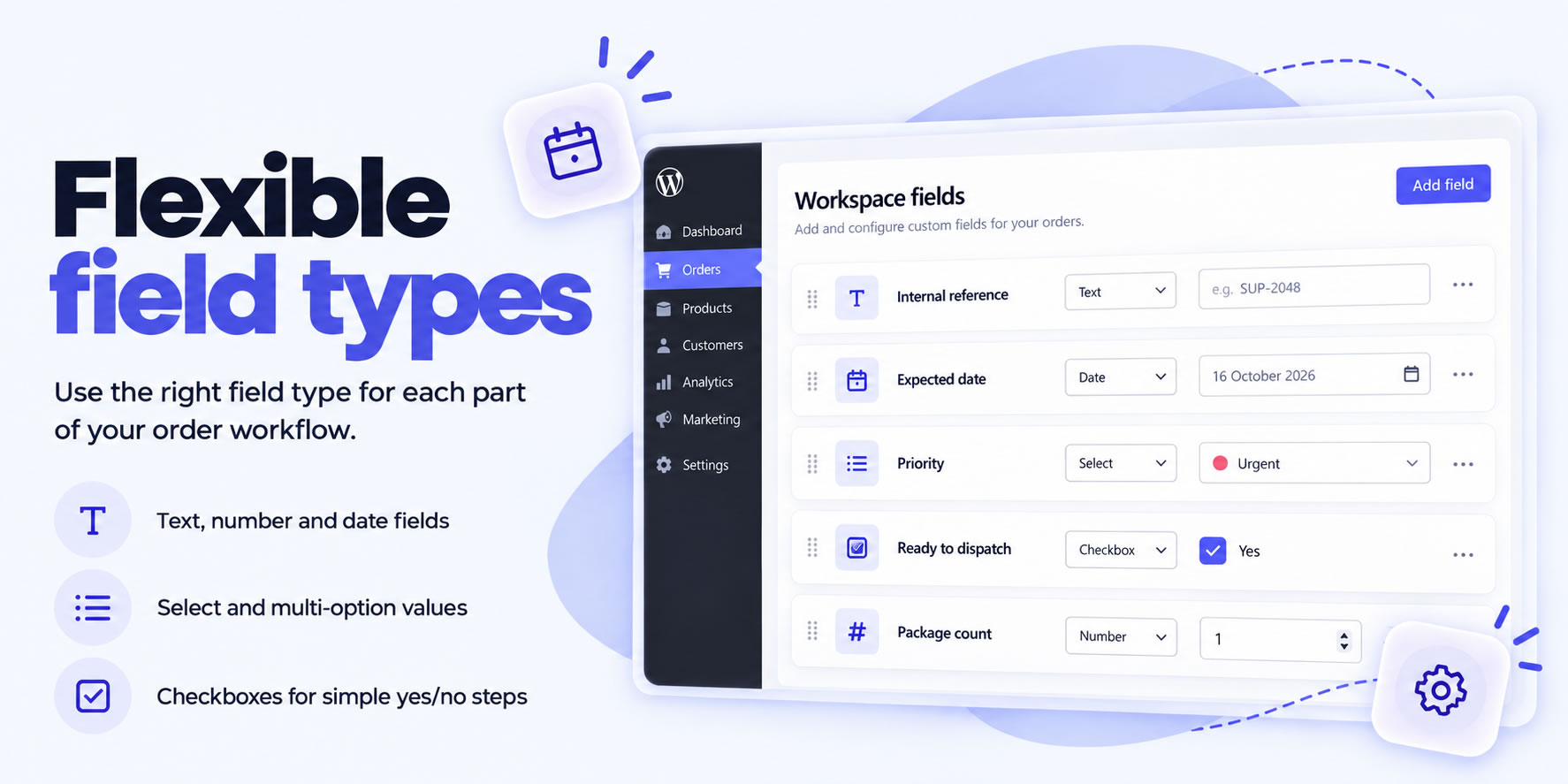
Create the internal fields your workflow needs using six field types: Text, Textarea, Number, Select, Yes/No and Date. Track priorities, preparation stages, suppliers, expected dates and more.

Inline & Bulk Editing
Edit supported Workspace fields directly from the Orders list, or update fields across up to 100 selected orders in one operation.

Combined Filters
Combine up to 10 conditions to find the right orders, including relative date filters for tomorrow and the next N days.

Personal & Shared Views
Save useful filter combinations for yourself or share them with your team for quick access whenever you need them.

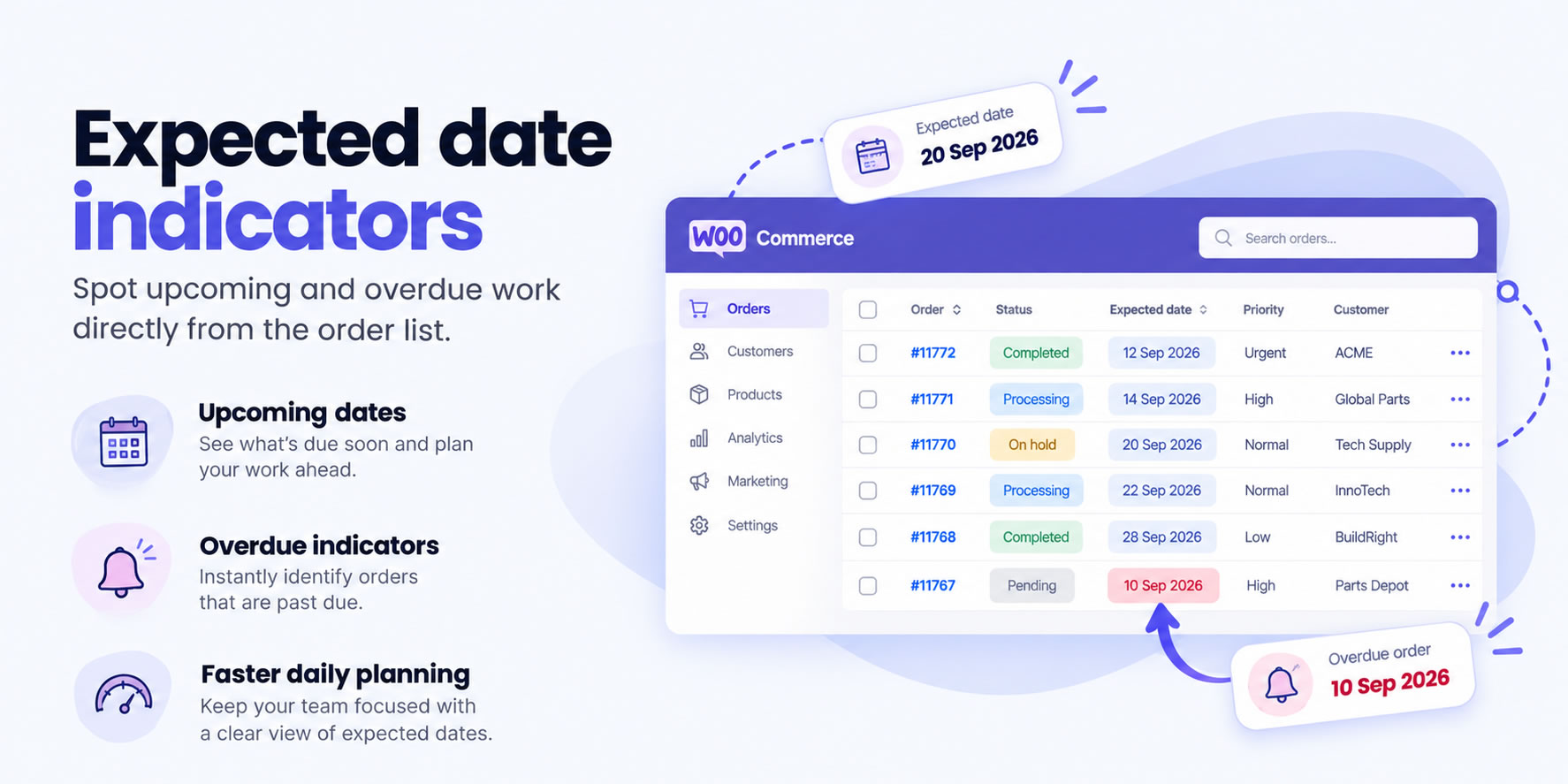
Date Indicators
Highlight overdue dates, today and up to five upcoming date ranges with configurable colors and day limits.

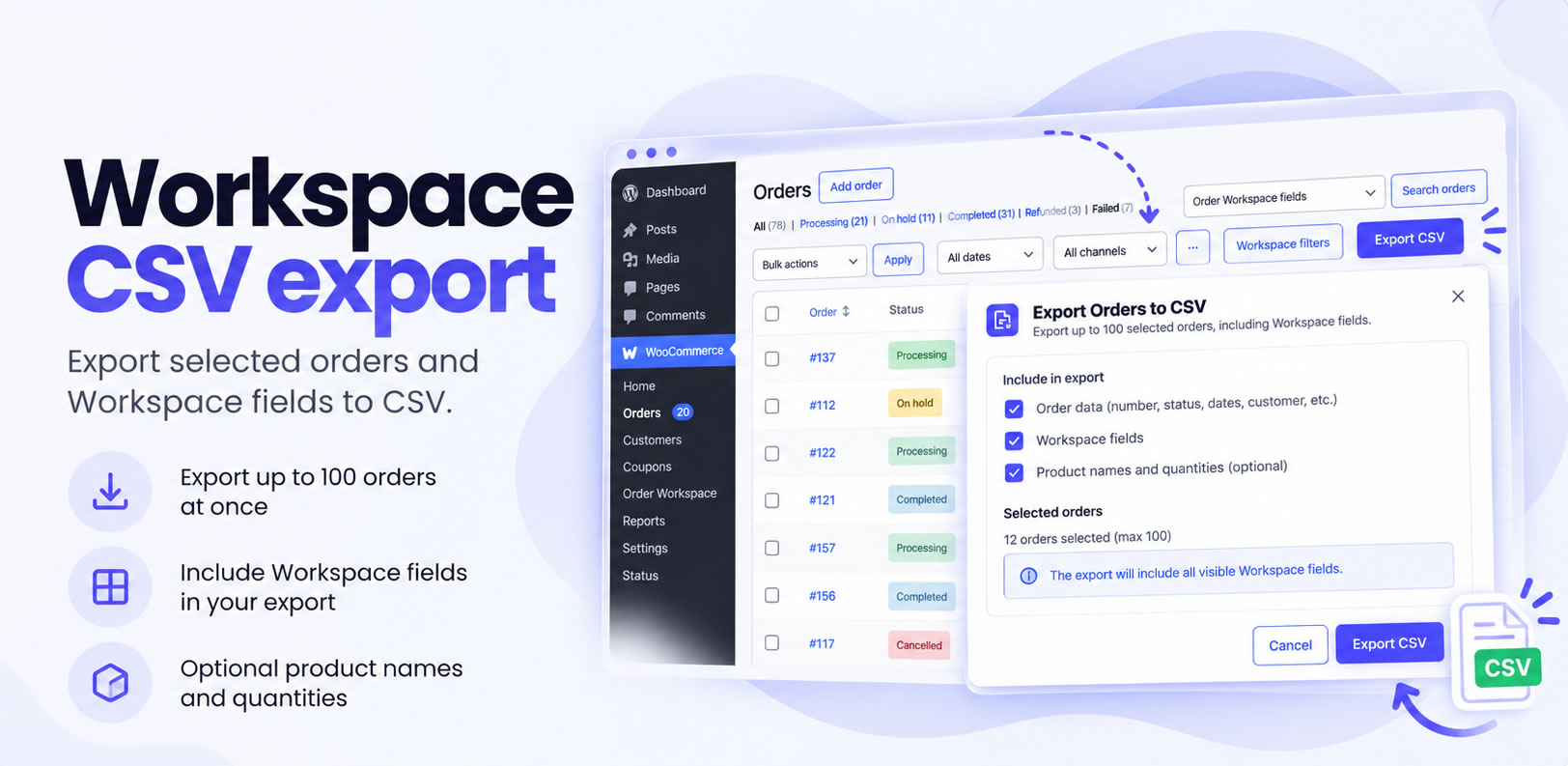
Workspace CSV Export
Export up to 100 selected orders and 20 Workspace fields to CSV, with optional product names and quantities.
SEE IT IN ACTION
See Order Workspace
in action
See how Order Workspace helps you create custom fields, update orders inline or in bulk, combine filters and save views, all inside WooCommerce.
PRODUCT TOUR
Take a closer look
at Order Workspace
BUILT FOR WOOCOMMERCE
Built for modern
WooCommerce
Built to fit WooCommerce, not replace it
Order Workspace extends the WooCommerce Orders area with custom internal fields and practical tools for everyday order management. It works with WooCommerce’s official order APIs and keeps your existing order management workflow in place.
- Works inside WooCommerce Admin
- Focused on your own Workspace fields
- No separate order management system required

HPOS compatible
Built to work with WooCommerce High-Performance Order Storage and traditional order storage.

Respects User Permissions
Workspace management and editing actions are protected by WooCommerce permissions, helping prevent unauthorized changes.

Data Retained on Deactivation
Deactivating Order Workspace does not automatically delete your custom field definitions or their saved order values.

Uses WooCommerce APIs
Order Workspace reads and updates order information through official WooCommerce APIs, rather than relying on direct database modifications.
Frequently
asked questions
Everything you need to know before choosing Order Workspace.
What kind of custom order fields can I create?
Create the internal fields your workflow needs using six field types: Text, Textarea, Number, Select, Yes/No and Date. Track priorities, preparation stages, suppliers, expected dates and other details specific to your store.
Can I update orders without opening each one?
Yes. Edit supported Workspace fields directly from the WooCommerce Orders list or update fields across up to 100 selected orders in one operation. No need to open and save each order individually.
How can I find urgent orders or upcoming deadlines?
Combine up to 10 filter conditions, use relative date filters and highlight important dates with configurable colors. Save your favorite filter combinations to quickly return to the orders that need attention.
Can I export order information to CSV?
Yes. Export up to 100 selected orders and 20 Workspace fields to CSV, with the option to include product names and quantities.
Does Order Workspace affect my store's checkout?
No. Order Workspace focuses on internal order management in WooCommerce Admin. It does not change your store’s checkout or payment process.
Is Order Workspace compatible with WooCommerce HPOS?
Yes. Order Workspace supports WooCommerce High-Performance Order Storage (HPOS) and traditional order storage, using official WooCommerce APIs.
Can I try Order Workspace before purchasing?
Absolutely. Explore the Live Demo and try the Pro workflows before making a decision. Your purchase is also covered by a 30-day money-back guarantee, subject to our Refund Policy.
What happens when my Pro license expires?
Your installed Pro features continue to work on previously activated sites. An active license is required to receive new updates and support. You can renew your license to restore access to those services.
Will I lose my Workspace data if I deactivate Pro?
No. Deactivating Pro does not automatically delete your Workspace field definitions or saved order values. Those remain stored in WooCommerce, while Pro-specific tools require the Pro add-on to be active.
READY TO GET STARTED?
Make WooCommerce orders
easier to work with.
Organize the internal information your store needs and handle everyday order updates faster, right inside WooCommerce.